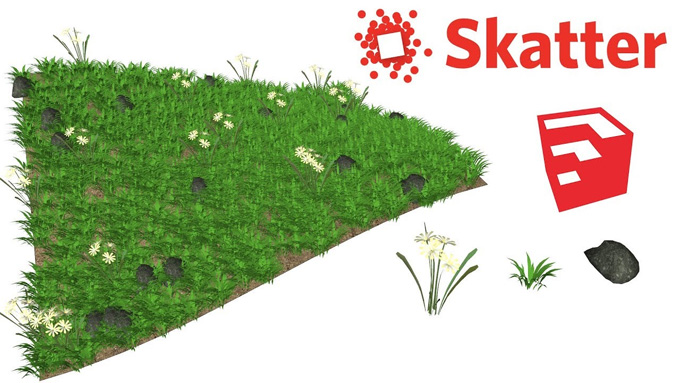
Skatter for SketchUp: The most effective Extension for Scattering Objects
Learn about the Scatter Extension for the SketchUp software
The Scatter extension is the latest scattering extension for the SketchUp software that has been utilised by users, which helps to produce vegetation within the SketchUp software. The Scatter extension has been under the beta development stage, and the final launching date for using it for commercial purposes. This SketchUp plugin is well matched with the V-Ray software, Thea and Kerkythea. The Scatter extension enables users to fill their scenes with an incredible amount of vegetation.
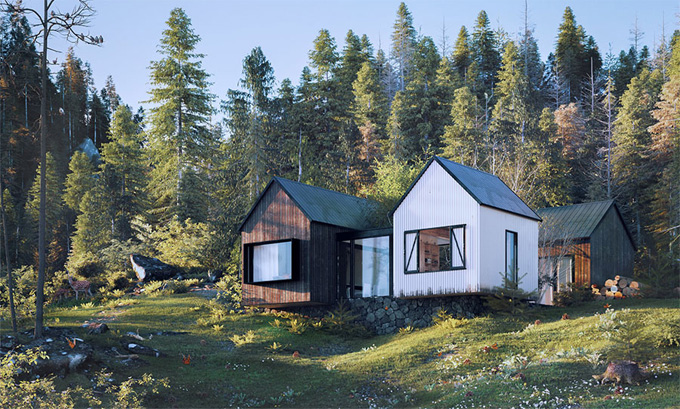
The Scatter extension enables developers to render an unlimited number of design objects. With the help of the Scatter extension, the developers are also allowed to edit their design work at any time, and the design parameters have been saved in every step of the design, so the developer does not need to start the design process from the beginning.
The Scatter extension has been compatible with the different versions of SketchUp software, including SketchUp 2022, SketchUp 2023, SketchUp 2024, SketchUp 2025 and SketchUp 2026. This SketchUp extension is compatible with both Windows and Mac operating systems. The supporting languages for the Scatter extension are English, Simplified Chinese, French, Spanish, and Traditional Chinese.
Discuss the key Benefits of the Scatter Extension for the SketchUp Software
Rendering feature
The “Render only” feature of the Scatter extension helps to send all the scattering information directly to the render engines, bypassing the SketchUp software. Thus, the design professionals can keep a lightweight and responsive SketchUp design model and able to render a huge amount of design objects.
Ability to mimic the organic appearance of nature
The Scatter plugin offers several features to simulate and fine-tune the distribution and placement of nature’s assets. The zones feature of the Scatter extension enables the designers to group similar design objects together, like flower patches in a field or lawn. The Scatter extension can also distribute the design assets randomly using the random or uniform distribution feature. By using the random translation, scale, rotation, and mirroring feature, the user is able to break repetition and randomise the placement of the design objects. In addition, the Scatter extension is also able to assign different materials randomly to the design objects, which helps to introduce subtle or dramatic variations.
Content library of the Scatter extension
The Scatter extension offers a bundle of high-quality render-ready assets, which come with ready-to-use Scatter compositions. The users are allowed to instantly apply these vegetation assets in their design scenes without spending time finding the right parameters.
Speed up the design workflow
The clean and intuitive user interface of the Scatter extension allows the use of the fine-tune advanced design parameters. The Scatter extension is also non-destructive; as a result, the user can work and edit the design work at any time. Each and every design option and design parameter has been saved, so there is no requirement to restart from scratch.
Helps to keep the design in control
With the help of the Scatter extension, users are able to manually or parametrically fine-tune the distribution of the design objects by using the masks and advanced features of the Scatter extension.
The camera clipping feature
The camera clipping feature of the Scatter extension helps to make it possible for users to not scatter items that are not visible to the camera.
Able to modify the falloff parameters
The Scatter extension enables the design professionals to alter the falloff parameters, like slope, areas, altitude and camera clipping, which helps to ensure the smooth transition. With the help of the Scatter extension, the users are also able to randomise the placement of the design objects by turning on the random translation, scaling, rotation or mirroring, to break repetition.
Distribution feature
The Scatter extension helps to distribute the design objects randomly on a grid or a mix of the two, on vertices, faces, etc. To fine-tune the distribution process, the user can use several design parameters like slope, altitude, and collision parameters. In the case of scattering multiple types of objects for defining the precise mixtures, the user can use probabilities.
Understanding the process of installing the Scatter extension for the SketchUp software
To install the Scatter plugin, the user has to follow several steps, which include:
To learn more, watch the following video tutorial.
Video Source: TheSketchUpEssentials
Download SketchUp Scatter Plugin
➢ At first, the user has to visit the SketchUp Extension Warehouse or the official Lindalë Skatter website.
➢ For installing via SketchUp Extension Warehouse, the user has to open the SketchUp software, go to Window and click on the Extension Warehouse option.
➢ In the next step, the user has to search for "Skatter" and has to click on the install button.
➢ For downloading the Scatter plugin via a local RBZ file, the user has to download the .rbz file from the Lindale website.
➢ After downloading the .rbz file, the user has to open the SketchUp software, go to the Window and click on the Extension Manager option.
➢ After that, the user has to click on the install extension button and has to select the downloaded file.