SketchUp4architect
Mail: enquiry@sketchup4architect.com | Call: 866 - 493 - 4944
Join Our Email List
Email:  
Home | Services | Components | Plug-ins | JOBS |Magazine | Advertising | Media kit | Product | Blog|Contact Sketchup Samples | Video | Get Quote
SKETCHUP PLUG-INS
SketchUcation Extensions Index
Lightup for Sketchup
Ies ve Sketchup Plugin
Turbosketch Studio
Indigo Renderer
Hypershot
Twilight Render
Shaderlight Plugin for SketchUp
3D Paint Brush for Google Sketchup
Arc Gis
Podium
Vray
SU2KT
Artlantis for Sketchup
Edrawings Publisher
Google Sketchup Web Exporter Beta
Hypercosm Teleporter for Sketchup
Idx Renditioner
Urban Developer
3skeng
Waybe
SketchyPhysics
Ifc2skp
Irender for Sketchup
Nxt render for Sketchup
Rps 3d pdf Exporter
RPS Productivity Tools
Render Plus System
Rp Tools
Space Design
Renderplus NPR Tools
Maxwell Render
OpenStudio
Photoshop cs3 Extended plugin
Project Sketch
Specificad
Su Animated
Virtualwind
ICEvision
AR-media
Modelur
Drawing/DXF import
PolyTrans 3D Pro
NuGraf Rendering
TacForge GeoSketch
SimLab 3D PDF exporter
SimLab FBX importer for SketchUp
SimLab obj to SketchUp
SimLab Solidworks to SketchUp
SimLab Step to SketchUp
i.materialise
CADspan
 

OpenStudio
 
Openstudio Model
Download OpenStudio

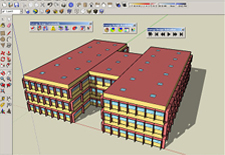
OpenStudio is a free plugin for the Google SketchUp 3D drawing program. The plugin makes it easy to create and edit the building geometry in your EnergyPlus input files. The plugin also allows you to launch EnergyPlus simulations and view the results without leaving SketchUp.

OpenStudio was created by the National Renewable Energy Laboratory for the U.S. Department of Energy.

Designed to integrate seamlessly with the SketchUp environment, the plugin allows you to use the standard SketchUp tools to create and edit EnergyPlus zones and surfaces. You can explore your EnergyPlus input files by using all of the native SketchUp 3D capabilities to view the geometry from any vantage point, apply different rendering styles, and perform accurate shadowing studies. The plugin allows you to mix EnergyPlus simulation content with decorative content such as background images, landscaping, people, and architectural finish details—all within the same SketchUp model.

The plugin adds the building energy simulation capabilities of EnergyPlus to the SketchUp environment. You can launch an EnergyPlus simulation of the model you are working on and view the results without leaving SketchUp.

Highlights of the beta version of OpenStudio include:

♦ The ability to create and edit EnergyPlus zones and surfaces
♦ The ability to launch EnergyPlus and view the results without leaving SketchUp

This plugin makes it easier to work with EnergyPlus. However, expertise in using EnergyPlus at the text level is highly recommended for performing successful and accurate simulations


Software Requirements:

♦ Google SketchUp 6 for Windows 2000/XP/Vista or Google SketchUp 7 for Windows XP/Vista
♦ EnergyPlus Version 3.0.0

A version for Mac OS X is not currently available, but is under development.

This plugin is compatible with both the Free and the Pro versions of Google SketchUp. EnergyPlus must be installed on your computer for full access to all of the plugin functionality. However, EnergyPlus can be installed after the plugin.

Free more information OpenStudio:
www.apps1.eere.energy.gov


Sketchup 3D WareHouse


SKETCHUP JOBS
SKETCHUP NEWS


sketchup4architect
  Articles | About us | News | Faqs | Sitemap
Valid HTML 4.01 Transitional All right reserved. All site content copyright
Site Developed by
GlobalAssociates
Valid CSS!