| ◊ |
|
| ◊ |
|
| ◊ |
|
| ◊ |
|
| ◊ |
|
| ◊ |
|
| ◊ |
|
| ◊ |
|
|
◊ |
|
|
◊ |
|
|
◊ |
|
|
◊ |
|
|
◊ |
|
|
◊ |
|
|
◊ |
|
|
◊ |
|
|
◊ |
|
|
◊ |
|
|
◊ |
|
|
◊ |
|
|
◊ |
|
|
◊ |
|
|
◊ |
|
|
◊ |
|
| ◊ |
|
| ◊ |
|
| ◊ |
|
| ◊ |
|
| ◊ |
|
| ◊ |
|
| ◊ |
|
|
◊ |
|
|
◊ |
|
|
◊ |
|
|
◊ |
|
|
◊ |
|
|
◊ |
|
|
◊ |
|
|
◊ |
|
|
◊ |
|
|
◊ |
|
|
◊ |
|
|
◊ |
|
|
◊ |
|
|
◊ |
|
|
◊ |
|
|
◊ |
|
|
◊ |
|
|
◊ |
|
|
◊ |
|
|
◊ |
|
|
◊ |
|
|
| 3D Paint Brush for Google SketchUP |
|
|
| |
| |
 |
 |
| Architecture & Interior Design (House) |
Architecture & Interior Design (City) |
|
|
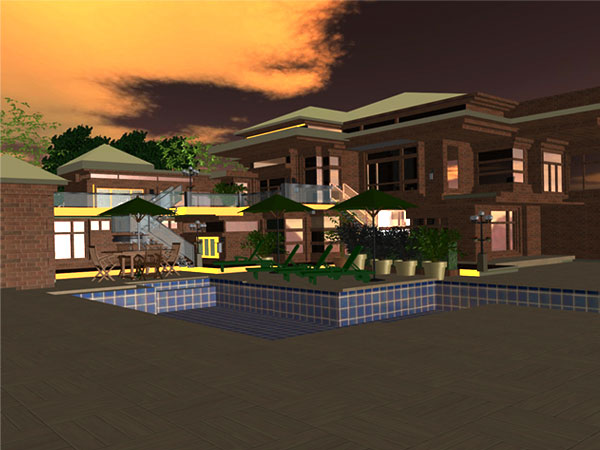
3DPaintBrush is an exciting 3D software that provides near photo-realistic rendering quality for your 3D assets, in real time. With an intuitive user interface and a rich toolset, you can start producing creative images and animations within seconds, with no learning curve and zero programming skills.
With Google Sketchup we can also provide the following :-
- ♦ Import your 3D models from SketchUp, CAD, Rhino, 3DS, STEP, IGES & OBJ file formats
- ♦ Access millions of models from Google 3D Warehouse, through an inbuilt integration
- ♦ Use 3D content from any OpenGL/DirectX based application
- ♦ Drag and drop material finishes on your models
- ♦ Manipulate material properties
- ♦ Adjust light settings
- ♦ Add backgrounds and environments
- ♦ Combine 3D models of various file formats to create your own custom scene
- ♦ Scale/ Copy/ Paste/ Move/ Show/ Hide/ Delete parts of the 3D model
- ♦ Export as standard image formats (JPG, BMP, PNG, TIFF)
- ♦ Export as 3DS format
- ♦ Create animations for presentations and video tutorials
- ♦ Export as Shockwave Flash for your web based applications
- ♦ Export as SVG format
- ♦ Export as XAML for Microsoft Expressions Blend
|
|
|
|
|
Minimum system requirements for 3DPaintBrush for Sketchup:
- 1.2 GHz processor
- 512 MB RAM
- Video adapter compatible with DirectX 9.0c
- 1024 x 768 video display adapter (True color)
- 100 MB disk space
Recommended Configuration requirements for 3DPaintBrush:
|
|
|