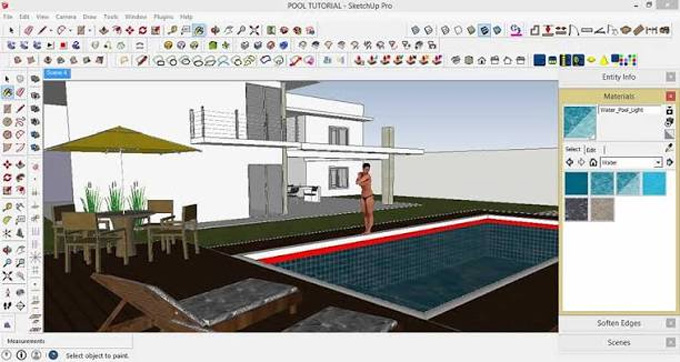
How to create Realistic Pool Water in Sketchup
Concept about the V-Ray plugin for the SketchUp software
V-Ray is the rendering plugin that is compatible with different modelling platforms, like Rhino, SketchUp, and Revit. The V-Ray plugin helps to create more realistic images directly out of the design files. This SketchUp rendering plugin helps to calculate the way light acts within the design scene. The V-Ray plugin can take into account different minor variations on the design surface, including the shadows, reflections and transparency on the design surface.
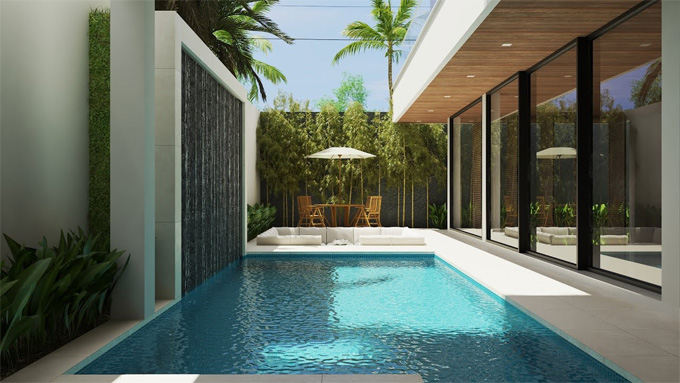
The V-Ray plugin has full realistic control and flexibility, and as a result, this SketchUp plugin has been widely used for the high-end visualisation process. The V-Ray plugin offers a massive library of high-quality design assets, built-in post-processing and advanced scattering features, which help to achieve realistic stills and animations for the design scene.
Key components of the V-Ray Plugin for the SketchUp Software
Asset Editor
This design component of the V-Ray plugin helps to manage the lights, textures, materials and render settings of the design. This design component helps to make decisions regarding the appearance of the design model.
V-Ray Frame Buffer (VFB)
The V-Ray Frame Buffer (VFB) tool of the V-Ray plugin allows users to modify the exposure and contrast settings of the design through its design interface, thus helping to enhance the image after they have been rendered.
Light Gen / Light Mix
The Light Gen / Light Mix tool of the V-Ray software allows users to modify the lighting settings of the design after finishing the rendering work. This design feature also helps to shift the design workflow from repetitive to exploratory; thus, the overall user experience of V-Ray rendering has been improved.
Chaos Cosmos
This platform enables users to access the organised asset library and import pre-existing objects for the designs instead of creating their own objects from the ground up. Thus, the overall design time has been reduced, and it supports uniformity throughout the different design scenes.
Discuss the process of creating a realistic pool water design by using the V-Ray plugin
The users can get a realistic pool water design by using the V-Ray plugin for the SketchUp software, and this entire design process is divided into several steps, which are as follows:
Creating the required design objects for the pool water design
At first, the users have to focus on the creation of the caustics suitable for a water body. In this case, the user needs to establish appropriate geometry for both the water and the pool. This geometry should consist of a basic plane along with the displacement applied to it. While generating the pool caustics, the user needs to ensure that the light source, displacements, refractive materials and also an object that will catch the caustics should be present.
Creating a displacement effect
While creating the displacement effect within the pool water body, the user has to select an appropriate texture for the displacement. The user has to adjust the amount value, which helps to achieve the desired intensity in the design. After that, the user has to apply the displacement to the water plane after selecting it.
Creating water material
In the next step, the user has to create materials for the pool body, for example, blue tiles. In this context, the user can also use resources from the Chaos Cosmos Browser. The selection of the design materials for the pool water body design depends on personal preferences. To create the water materials, the users have to follow several steps, which are:
1. At first, the user has to start with a simple Generic VRayMtl material.
2. After that, the user has to enable the advanced settings, which allow the user to access the additional parameters important for the creation of the water materials.
3. In the next step, the user has to go to the diffuse rollout and has to set the colour of the water body to black.
4. The user has to go to the reflection rollout to set the reflection colour to pure white. The user can set the Refraction colour to pure white from the refraction rollout.
5. The Fog Colour parameter feature of the V-Ray plugin allows users to add a tint to the water.
6. The user can also disable the Affect Shadows parameter, which helps to ensure the water caustics function correctly.
Creating a lighting setup
The user can also use the default Sun feature to illuminate the design scene effectively. To get a unique environment for the pool design, the user can use V-Ray’s Light Gen tool, which enables the user to focus on the exterior options of the design and also helps to ensure that the sun's rays hit the water directly.