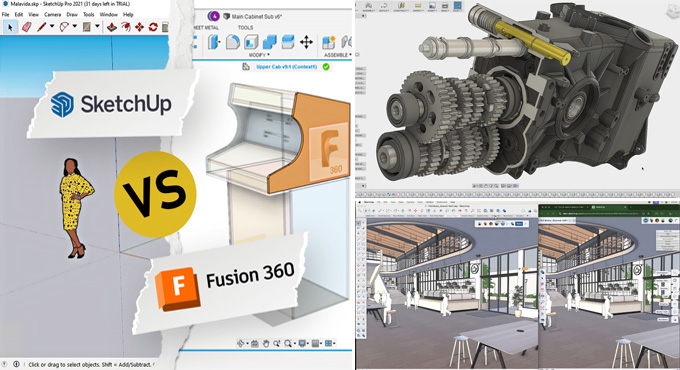

Difference between Fusion 360 vs SketchUp for Architecture
Concept about the Fusion 360 software for architecture
The Fusion 360 software helps to provide a simplified version of the majority of the design tools of more complex CAD packages. The Fusion 360 software provides basic-level design functionality at a moderate cost. The Fusion 360 software is faster and more adaptable than the top-tier packages for new and occasional users.

The Fusion 360 software is the best application for creating architectural designs, in which relatively simple individual parts and assemblies can be modelled easily. This software application helps to meet all the requirements of the users.
Concept about the SketchUp software used for architectural designs
The SketchUp software is a linear and polygonal 3D drawing system which contains a selection of plugins for making innovative designs. These SketchUp plugins include Selection Toys, Curviloft, 1001Bit Tools, Sandbox bonus tools, Artisan SketchUp extension, TopoShaper, 3D Tree Maker SketchUp extension, Angular Dimension and others. The user interface of the SketchUp software enables design professionals to try things quickly, which enhances its popularity in the design industry than other CAD programs. The SketchUp software runs smoothly and reliably on quite ordinary computers, unlike other high-end CAD programs.
Learn about the key differences between SketchUp and Fusion 360
On the basis of the applications
The SketchUp software has been widely employed by furniture makers and carpenters in the interior design and architectural industry. The design tools offered by the SketchUp software are intuitive and help to aid the idea by allowing the simple outlines to build in the complexity of form. On the other hand, Fusion 360 is a precision-oriented engineering design software, which also has a good reputation in applications, for example, easy PCB design, mechanical design and engineering of products for aesthetics, fit, and function, and printer/CAM integration. Fusion 360 has a close integration feature along with 3D printing processes, which have been widely employed in the professional and hobby product design sectors.
Based on the system requirements
The SketchUp software requires a 2.4+ GHz processor, 1 GB of hard disk space, 8 GB RAM, a Video card with 2+ GB of 100% OpenGL, and a 3-button mouse with scroll function. On the other hand, Fusion 360 requires 4 GB of RAM, 6 GB minimum graphics memory, 3 GB of disk space minimum, Apple silicon processors require Rosetta 2 (in the case of macOS), x86-based 64-bit processor, quad-core, 1.7 GHz or greater (in the case of Windows). Display resolution of 1920 x 1080 or greater is recommended for Fusion 360 software.
Based on the user experiences
The SketchUp software has a very simple user interface, which helps to make 3D design simple. This clean workspace approach of the SketchUp software produces faster learn rather the Fusion 360 software. The Fusion 360 software is a flexible, complete design tool which includes both CAM and 3D printing tools for vertical integration. Whereas the SketchUp software is a simpler design tool along with a close focus on 3D design for woodworkers, architects, and hobbyists.
Based on the customer support
The customer support of the Fusion 360 software can be viewed positively compared to the SketchUp software. There are reported issues regarding the wrong payment process, but this does not appear to be a large-scale problem, and the overall customer service has been viewed as at or above average.
On the basis of the community
The official and unofficial user forums of the Fusion 360 software can be very useful in learning and problem-solving. The Reddit community of the Fusion 360 software is active and supported. On the other hand, the SketchUp software has a large number of active user groups, including both official and user-driven groups. These active user groups are the forums for sharing files and experiences, and they will be a great place to get real support from real users.
Based on the price
Both the Fusion 360 software and the SketchUp software have a wide range of pricing structures, based on the requirements of the users. In the case of the Fusion 360 software, there are personal, educational, startup, and full licenses available. In this context, the personal license is available for free but has reduced functionality, whereas the startup and educational licenses for the Fusion 360 software are free for up to three years, along with certain limitations.
To get the full license of the Fusion 360 software, users have to pay a monthly fee of $60 for full access to design tools.
To learn more, watch the following video tutorial.
Video Source: Ben Gatien
Download Fusion 360
In the case of the SketchUp software, the free version is only available on the web, along with several limitations, including watermarked designs and 10 GB online storage. The paid version of the SketchUp software is available at $120 to $1,200, along with several design options, which enable users to get full access to the design tools of the SketchUp software.