How to Render Realistic in Enscape SketchUp
Concept of the Enscape Extension for the SketchUp Software
Enscape is a real-time rendering plugin which helps to empower the users create more realistic renderings within a short time. The Enscape plugin has been widely used by architects and designers for creating design projects. This SketchUp extension can be directly integrated with the CAD and BIM tools in the AEC industry. With the help of the Enscape extension, the users are able to create a SketchUp rendering, as well as can also explore architectural virtual reality without using other design tools or importing or exporting other files.
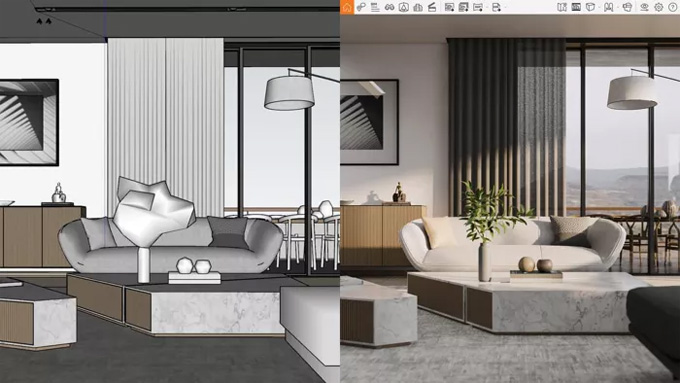
The Enscape extension also allows users to improve their design process and helps to accelerate the decision-making process regarding the design process; thus, users can collaborate more efficiently along with project stakeholders and clients.
The Enscape extension is compatible with different versions of the SketchUp software, including SketchUp 2022, SketchUp 2023 and SketchUp 2024. The Enscape extension is also compatible with both Mac and Windows operating systems. The supporting languages for the Enscape extension are English, French, Spanish, Italian, German, Brazilian Portuguese, Dutch, Japanese, Polish, and Simplified Chinese.
As the Enscape extension uses ray tracing for real-time rendering, this plugin relies on the graphics card, which helps to render the design model more quickly. To run the Enscape extension smoothly, at least 8GB of VRAM is required. The user needs to keep the graphics card driver updated to ensure that the Enscape extension will run smoothly on their system, and this process can be done via the NVIDIA or AMD websites.
Discuss the key design features of the Enscape rendering plugin for SketchUp Software
Easy-to-use plugin
The Enscape plugin offers a more user-friendly interface, which is easy for users to use. The Enscape plugin can also integrate with different software, including SketchUp software, Rhino software, Revit software and others. This integration feature allows users to incorporate the Enscape plugin into their existing design workflow.
Providing live updates
With the help of the Enscape plugin, users can make changes to the 3D design model in real-time. This feature allows users to see the impact of the design changes and improves the design process.
Providing high-quality visuals
The Enscape plugin helps to create more realistic lighting, materials, and reflections, which helps to achieve compelling presentations.
Cost-efficient feature
The Enscape plugin also helps to contribute to cost savings in the design by minimising the time spent on the rendering process.
Lighting analysis feature
The Enscape plugin also offers several lighting analysis tools, which enable users to assess the impact of natural and artificial lighting on the designs. Thus, architects and designers can optimise the lighting conditions of the designs by using the Enscape plugin for aesthetics and functionality of the design models.
Quick rendering feature
With the help of the Enscape plugin, users are able to generate high-quality renders and visualisations within a short period of time, which allows faster project turnaround times.
Real-time visualisation feature
The Enscape plugin also allows users to visualise and interact with the 3D design models in real-time, which helps to facilitate quick design iterations.
Integrating virtual reality in the design
The Enscape plugin also supports virtual reality experiences, which allow users to immerse themselves in their designs. This virtual reality integration feature is useful for client presentations, as it helps to explore and experience the design project before it is built.
Cloud collaboration feature
The Enscape extension allows project team members for cloud, which makes it easy for teams to share design reviews. This cloud collaboration feature helps to improve communication among the different project stakeholders.
Creating animated walkthroughs
The Enscape extension also allows users to create animated walkthroughs of the designs. This feature is useful to showcase the spatial qualities of the design project, and it helps to convey the design intent more effectively.
Learn about the process of installing the Enscape extension for the SketchUp software
To download the Enscape extension, the user has to download the Enscape Installer. This Enscape Installer has been sent to the user via email if the user has signed up for a free trial, applied for an educational license, or purchased an Enscape license.
While the user runs the installer, at first, the user has to close the SketchUp software, then they have to start the installer, and they have to follow the given instructions for completing the installation procedure. In the case where the user needs to deploy the Enscape plugin to multiple machines, the user has to learn how to roll out the Enscape extension throughout many computers by using centralised installation and automated configurations.