How to use SketchUp CutList Plugin
The CutList is an important SketchUp plugin for any woodworkers to conduct their woodworking designs effectively in the SketchUp software. This SketchUp plugin helps to allow the users to generate the cutting list for their design project directly from their SketchUp model.
The Cutlist plugin of the SketchUp software influences the selection and production of a list of parts of the design model. This list has been generated on the basis of the needs of the users to cut along their design dimensions and quantities. A layout of the parts has been produced by the Cutlist plugin on the basis of the selected design material sizes.
This Cutlist plugin of the SketchUp software is also useful for estimating the design materials which is needed for constructing the design model of the users. The default setting of the Cutlist plugin has been designed, as a result, the user can install as well as can get useful output with just a few clicks. In the Cutlist plugin, the material lists can also be produced as a browser window display or a text file. This material list can also be printed.
The material list of the Cutlist plugin of the SketchUp software can be created as a CutListPlus(CLP)* import file. This import file format has a more costing function and sophisticated material layout rather than built into the plugin. The material layout has been produced in a browser window display as well as an svg file, both of these formats can be printed. These svg files can be run on Mac and Windows and opened by most browsers. Thus, users are able to work for both imperial and metric measures.
The Cutlist plugin is available in different languages including Russian, English, French, German, Italian, Spanish, Portuguese, Czech, Vietnamese, Dutch, Ukrainian, and Simplified Chinese. The interface language of the Cutlist plugin can be selected by the users independently.
Downloading the Cutlist Plugin of the SketchUp software
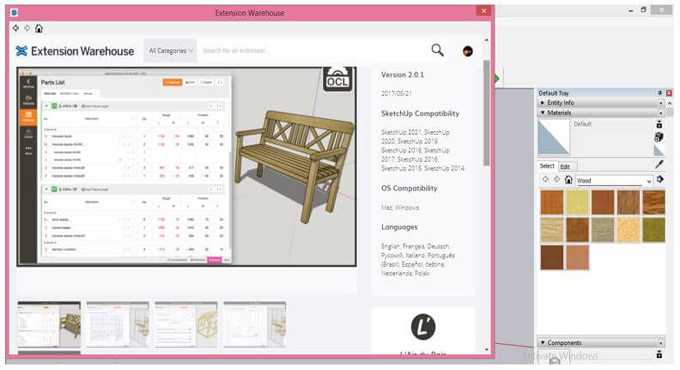
To install and download the Cutlist SketchUp plugin, users have to install the signed extension and this can be done by downloading this SketchUp plugin from the OpenCutList extension page at the Trimble’s Extension Warehouse page. The signed extension file is also available on GitHub.
Once the OpenCutList extension page has been installed, this SketchUp plugin can be accessed in the menu Extensions or can be accessed by using the menu in the toolbar. In the case of not presenting in the toolbar, the user has to right-click on the empty area of the icon bar, from which, this plugin can be selected from the list.
Key features of the Cutlist Plugin of the SketchUp software
Exporting features for mobile phone
Users can create design projects on their PC and then load those designs onto their mobile devices with the help of the free companion viewer apps for Android,iPhone, and iPad.
Drag and drop diagram editing feature
Users are able to use the mouse to drag parts around the designs or move parts from one design to another. Users are also able to rotate the diagram parts by holding down the Ctrl key in the meantime of dragging.
Multi-Core enabled features
Users can take full advantage of the parallel processing on multi-core processors which helps to improve the optimization times for the design project. This feature of the Cutlist plugin is one of the important features for those users who have invested in the PC along with multi-core processors.
Per-Material Rotation Control feature
The allowance for the rotation depends upon whether that design material has grain.
Intelligent Reoptimization feature
There is an exclusive technology which helps to operate the behind-the-scenes in the Cutlist plugin of the SketchUp software. This feature also helps to figure out those cutting diagrams which need to be reoptimized on the basis of the changes that the user made to their design parts lists and also raw materials information. This intelligent re-optimization feature also helps to save the time of users during the fine-tuning of measurements and materials.
Pinned diagram features
The pinned diagram does not change even in the case of the other diagrams of the design project reoptimized. This feature can be used by the users while the users have the diagrams which is exactly how they want it but there needs some work on the other part of that design project.
Cost and waste optimizing feature
The Cutlist plugin of the SketchUp software enables users to choose an optimization method which helps to minimize the material costs as compared to the minimization of material waste.
Inventory tracking feature
The Cutlist plugin also enables the users to keep track of how much inventory they have in their hands and thus they can adjust the inventory levels on the basis of their completed projects.
Off-cuts features
In the case of leftover pieces of plywood or lumber, users have options to specify that those off-cuts will be used in the layout diagrams.