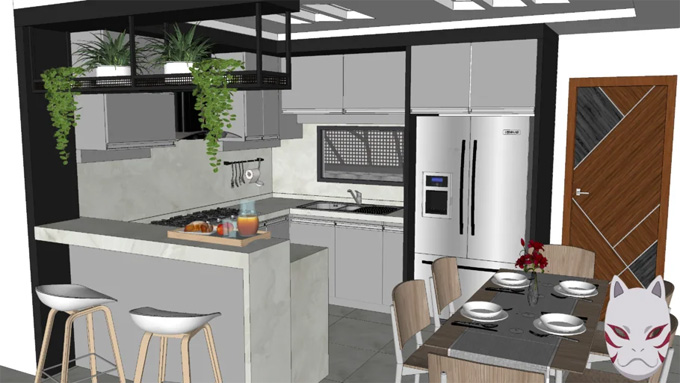
Download Free SketchUp Components 3D Warehouse Kitchen
Discuss the kitchen design tools of the SketchUp software
EASYSKETCH plugin
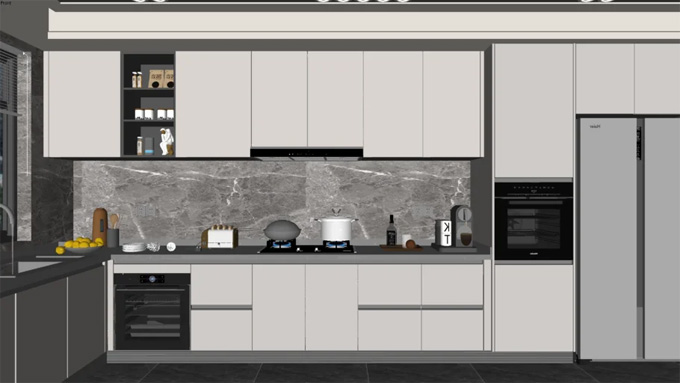
The EASYSKETCH plugin helps to create professional kitchen design models within the SketchUp software. The extensive design library of the kitchen components of the EASYSKETCH plugin has been accessed by the users after completing the installation procedure of this SketchUp plugin.
The EASYSKETCH plugin has been compatible with both Windows and Mac operating systems, and the supporting language for this plugin is English. The EASYSKETCH plugin is compatible with SketchUp 2021, SketchUp 2022, SketchUp 2023, SketchUp 2024 and SketchUp 2025. There is an active subscription is required to get the license for the EASYSKETCH plugin, which can be purchased from the official website.
SketchThis Kitchen Design Plugin
The SketchThis Kitchen Design Plugin enables users to browse and use the kitchen design tool of this extension. With the help of the SketchThis Kitchen Design Plugin, users are able to design kitchen models faster. This SketchUp plugin allows both kitchen and interior designers to build amazing kitchen models faster than any other tool in the SketchUp software. The SketchThis Kitchen Design Plugin has also been compatible with different SketchUp versions, including SketchUp 2022, SketchUp 2023, SketchUp 2024, SketchUp 2025 and SketchUp 2026. The SketchThis Kitchen Design Plugin is compatible with Mac and Windows operating systems, and its supporting language is English.
Role of SketchUp software in creating the Kitchen design model
1. By using the SketchUp software, the design professionals are allowed to leverage the 3D warehouse to make kitchen designs. The 3D warehouse of the SketchUp software helps to provide a decent library of pre-designed components and design models, which are customisable and can be imported easily. The users are able to search the 3D warehouse of the SketchUp software by image.
2. The SketchUp software allows design professionals to work in 3D. With the help of the SketchUp software, the users are also able to visualise their design products more efficiently, which helps to clients to better understand the final design output.
Discuss the steps of designing the kitchen design model by using the SketchUp software
The kitchen design model can be made in different steps within the SketchUp software, which are as follows:
Adding cabinetry in the kitchen model
At the first step of creating the kitchen model within the SketchUp software, is adding cabinetry in the kitchen model. In this step, the appropriate kitchen cabinets and base cabinets need to be selected.
The users can get the tutorial to import and arrange the kitchen cabinets into the design space. The user can also use the cabinet pack from the SketchUp 3D warehouse to include the cabinets in the kitchen designs.
Adding countertops in the kitchen design
In this step, the user has to focus on adding the countertops in the kitchen design models. This process involves the creation of the geometry by using the rectangle tool and the push/pull tool of the SketchUp software. In this context, the users have to keep in mind that the countertops should be 1.25 inches thick and they should overhang the base cabinets by 1.5 inches.
Adding hardware
At this design stage, the user has to add hardware to the kitchen design model, which includes knobs, handles, and pulls for cabinets and drawers. Thus, the inclusion of the hardware helps to enhance the functionality and aesthetic appearance of the kitchen design model. The users are also allowed to use the 3D warehouse to find the appropriate hardware for the kitchen design model.
Adding moulding and trim
In the next step, the user can add trim and moulding in the Kitchen model to enhance the appearance of the kitchen model. This design process helps to provide a finished look to the cabinetry and walls, thus helping to elevate the overall aesthetics of the kitchen space.
Adding kitchen appliances
In this design stage, the user has to focus on adding the kitchen appliances into the kitchen design model, including ovens, refrigerators, dishwashers and other appliances. The users also have to ensure that the kitchen appliances are properly integrated into the kitchen layout for both aesthetic coherence and functionality.
Adding fixtures and sinks
In the next step, the user can add sinks and other kitchen fixtures into the SketchUp kitchen design model, which are essential for the kitchen, as well as provide an aesthetic appearance for the kitchen space.
To learn more, watch the following video tutorial.
Video Source: ericschimel
Download 3D Warehouse Kitchen
Adding lighting effects
This is the final stage of designing the kitchen model within the SketchUp software, in which the lighting effects have been added to the design, which is essential to create the right ambience for the kitchen. Adding the right lighting effects in the kitchen model helps to ensure adequate illumination for the kitchen tasks.
The users can experiment with the different layouts and design configurations before finalising their kitchen design within the SketchUp software, thus they can save their design time and resources.