Key Tools & Plugins for Sky View Analysis for SketchUp
Concept about the Sky View Analysis extension for the SketchUp Software
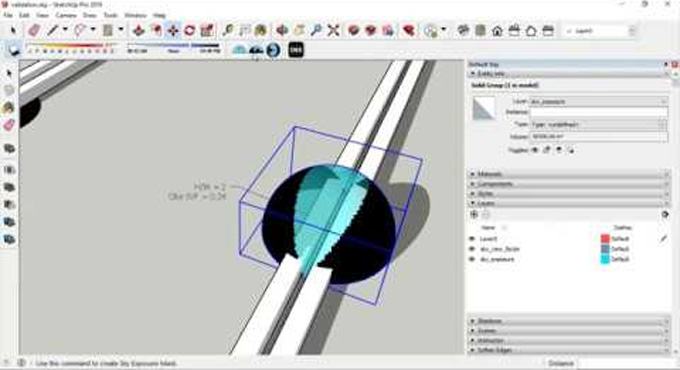
The Sky View Analysis extension is one of the powerful extensions for the SketchUp software, which involves the calculation of the sky exposure and sky view factor of the design models. The Sky View Analysis plugin is compatible with the SketchUp 2019 version.
The Sky View Analysis extension for the SketchUp software is compatible with the Windows operating system. The supporting language of the Sky View Analysis extension is English.
Learn about the process of using the Sky View Analysis extension
To use the Sky View Analysis extension, the user has to follow several steps, which are:
➢ At first, the user has to open the SketchUp model. To prepare the model for DL-Light calculations, the user has to follow the recommended steps.
➢ The user has to open the SVF dialog from the toolbar or the menu option. After that, the user has to click on the Extensions, then De Luminae, click on the Sky View Factor and then click on the Activate extension. After that, the user has to enter the calculation parameters.
➢ The field description should be filled out by the users. In this context, the SketchUp model has been used by default during the export of the file. During the calculation process, the model geometry and resulting files have been saved in the skyviewfactor_output subdirectory. The results output has been represented by the false colour textures. The design model also requires different densities of sensors.
➢ In the design model, the palette of the false colour has been defined with more precision. There are three options to define the false colour palette, in which the automatic palette has been generated during calculation on the basis of the calculated results for selected surfaces. The gradient palette helps to enable the global palette manipulations, and the custom palette helps to provide full freedom to add, delete or modify each colour separately.
➢ After entering all data in the SVF dialog, the user has to select the surfaces and press the Render button.
➢ During the import process of the result, there are appropriate false colours in the selected surfaces. After that, the Palette and Report palette will be opened.
➢ In the next step, the report dialog box will display the distribution of results over the current palette and calculation input parameters.
➢ The DL-Light feature of the Sky View Analysis extension helps to archive all the results of a calculation, including resorts, textures and also the calculation steps.
➢ After that, the current SketchUp model has been viewed with the imported results, which will be exported with or without palette to the PNG format.
Discuss the key design features of the Sky View Analysis extension
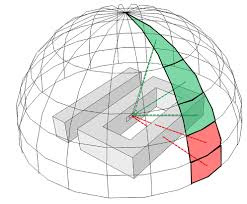
➢ The percentage of sky visibility on the design surface of the SketchUp design model has been calculated by the Sky View Analysis extension.
➢ The values achieved by the Sky View Analysis extension can be represented as percentages of the total surface area of the sky or as a solid angle.
➢ The Sky View Analysis extension helps to provide information about the sky view factor for different building surfaces, which helps to influence the decision-making process regarding the lighting and thermal strategies of the building.
➢ The Sky View Analysis extension helps to support the position of the windows on the facades, which helps to provide more daylight inside the building model.
➢ The Sky View Analysis extension also helps to compare the effect of different sun protection alternatives on the visibility of the sun.
➢ The Sky View Analysis extension helps to suggest the areas on the facade which should be studied in more detail; thus, this extension helps to prevent the overheating or over-cooling process of the building structure.
➢ Both the sky exposure mask and sky view factor mask have been generated by using the Sky View Analysis extension.
➢ The Sky View Analysis extension helps to apply several similar domes for the measurement of the sky exposure in the SketchUp design model.
How to download the Sky View Analysis extension for the SketchUp software?
To download the Sky View Analysis extension for the SketchUp software, the user has to follow several steps, which are as follows:
1. At first, the user has to visit the SketchUp extension Warehouse page, searching for the “Sky View Analysis” extension in the search bar.
2. After finding the “Sky View Analysis” extension, the user has to click on the download button.
To learn more, watch the following video tutorial.
Video Source: Antonello Di Nunzio
Download Sky View Analysis
3. In the case of downloading the Sky View Analysis extension via SketchUp software, the user has to open the SketchUp software, navigate to Windows, click on the Extension Warehouse, search for the “Sky View Analysis” by AntonelloDN and click on the install button.
4. After that, the Sky View Analysis extension has been installed automatically.
5. In the case, the user downloads the .rbz file from GitHub, the user has to use Extensions, go to the Extension Manager and then click on the Install Extension button in the SketchUp software.