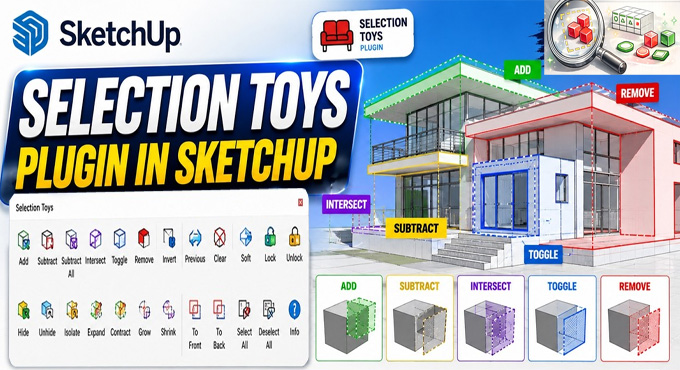
How to use Selection Toys Plugin in SketchUp
Concept of the Selection Toys plugin for SketchUp Software
The Selection Toys plugin is one of the useful plugins for the SketchUp software, which has been used to create complex models and helps to select the right geometry in less time. The Selection Toys plugin has been widely used in different sectors, including the landscape design sector, the interior design sector, product modelling projects, and the architectural design sector. In the case of the user needs to select specific design edges, design components, groups or hidden design elements more accurately, the Selection Toys plugin has been used.
The Selection Toys plugin for SketchUp software offers advanced selection filters, which help to control the design model of the users more accurately. This design model control feature helps to make cleaner, faster and more professional design models, along with detailed scenes or imported design models. In addition, users can also combine the design workflow for heavier files; thus, it helps to keep the design model more optimised.
The Selection Toys plugin is compatible with the different versions of the SketchUp software, including SketchUp 2022, SketchUp 2023, SketchUp 2024, SketchUp 2025 and SketchUp 2026. The Selection Toys plugin for SketchUp software is supported on both Windows and Mac operating systems. The supported language for the Selection Toys plugin for SketchUp software is English.
Discuss the features of the Selection Toys plugin for SketchUp software
Advanced selection control feature
With the help of the Selection Toys plugin for SketchUp software, users can select the specific type of geometry, for example, curves, groups, faces, or construction design elements, with better control.
Faster design workflow
The Selection Toys plugin for SketchUp software helps to reduce manual selection work in the design model; thus, this design feature helps to save overall design time in large SketchUp design models with many design objects and details.
Model management feature
The selection filters of the Selection Toys plugin enable users to organise, hide, edit, delete or modify the design model elements more precisely.
Designing complex models
The Selection Toys plugin for SketchUp software has been specially designed for complex architectural design models, landscapes, interior design projects, imported geometry and furniture scenes.
Selecting edge loops
The Selection Toys plugin for SketchUp software enables users to pick out the loops of the design face. The normal modifier features of the Selection Toys plugin allow users to add, remove or toggle the design models as per their design requirements.
Importance of Selection Toys plugin in the design sector
➢ The Selection Toys plugin is useful for cleaning the imported CAD-based design geometry.
➢ The Selection Toys plugin is also used by design professionals to organise large design models along with many design components.
➢ The Selection Toys plugin has been used in the case of filtering specific geometry types in less time.
➢ While the manual selection of edges, groups, faces, or components takes too much time, the Selection Toys plugin has been used by designers.
Applications of the Selection Toys plugin in the design and construction industry
Used in the architectural industry
Architects use the Selection Toys plugin to manage complex architectural design models and select specific geometry during the design development process.
Used by interior designers
Interior designers also use the Selection Toys plugin to work faster on design along with furniture-heavy scenes, wall panels, detailed room models, material-based selections and decorative elements.
Used in the educational sectors
The Selection Toys plugin for SketchUp software has also been aslo used in different educational sectors to learn about the creation of design models and managing SketchUp projects more efficiently. Students can also visit online SketchUp courses to learn about academic design work.
Used by 3D modellers
3D modellers use the Selection Toys plugin of the SketchUp software to create and control complex geometry more precisely while editing more detailed design objects, imported design models and design components.
How to download the Selection Toys plugin for SketchUp software
To download the Selection Toys plugin for SketchUp software, users have to follow several steps, which are as follows:
1. First, the user has to open the SketchUp software. Then the user has to navigate to the Window menu and go to the Extension Warehouse, or the user can also visit the SketchUp Extension Warehouse directly in the web browser.
2. In the next step, the user has to type “Selection Toys” into the search bar.
3. After that, the user has to click on the extension that has been created by ThomThom.
4. In the next step, the user has to click on the red install or download button to add this extension to their software.
5. Then, the user has to restart the program in the case of activating the new selection tools.