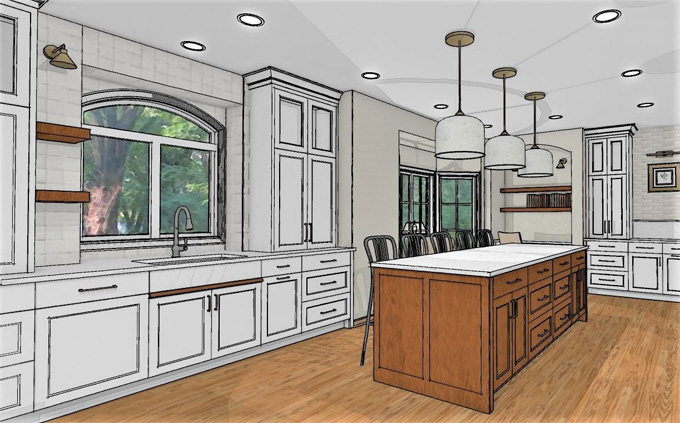
EASYSKETCH - Kitchen Design Extension for SketchUp
Concept about the Easy Sketch Kitchen Design Plugin for the SketchUp Software
The Easy Sketch is the kitchen design plugin for the SketchUp software, which helps to create kitchen concepts directly inside the SketchUp software. The Easy Sketch Kitchen design plugin enables design professionals to have a dedicated kitchen design palette along with the frontal styles, parametric cabinets, handle ranges, supplier-based decor and paint swatches. The Easy Sketch Kitchen design plugin has been built around the layon cabinet style. With the help of the Easy Sketch Kitchen design plugin, the design professionals can create and save the presets for their favourite cabinet configurations.
The Easy Sketch Kitchen design plugin is compatible with the different versions of the SketchUp software, including SketchUp 2024, SketchUp 2025 and SketchUp 2026. The Easy Sketch Kitchen design plugin is compatible with both Windows and Mac operating systems. The supporting language for the Easy Sketch Kitchen design plugin is English.
The reason behind using the Easy Sketch Kitchen plugin for the SketchUp software
The Easy Sketch Kitchen design plugin helps to reduce the amount of manual modelling required for the creation of kitchen layouts within the SketchUp software. With the help of the Easy Sketch Kitchen design plugin, users can create and adapt kitchen design components from a single tool palette. Thus, the Easy Sketch kitchen design plugin helps to speed up the design process.
The Easy Sketch Kitchen design plugin has been used by design professionals, including interior designers, architects, kitchen designers, and design studios, who use the SketchUp Pro and SketchUp software. The Easy Sketch Kitchen plugin is suited to users who need to turn client briefs into accurate and presentable kitchen designs. The Easy Sketch Kitchen plugin helps to support a more direct design workflow for design professionals who already design, review and present design projects within the SketchUp software.
Learn about the design features of the Easy Sketch Kitchen Design Plugin for the SketchUp software
Rebuilt interface feature
The interface of the Easy Sketch Kitchen design plugin has been designed clearly, which makes the kitchen model design easy.
Animation feature
The Easy Sketch Kitchen design plugin helps to animate the doors and drawers along with just a single click.
Content manager feature
This design feature of the Easy Sketch Kitchen design plugin enables the users to import and manage the swatch packs, handle packs, and material libraries; as a result, the favourite products of the users can be kept close.
Colour control feature
With the help of the Easy Sketch Kitchen design plugin of the SketchUp software, the users can apply finishes throughout the plinths, handles, worktops, frontals and carcasses from one focused workflow.
Cabinet chooser feature
The Easy Sketch Kitchen design plugin allows users to browse the cabinet types visually that can be searched by category. In addition, the users can also place the right unit without digging through the menus.
Handle tools
The Easy Sketch Kitchen design plugin enables the users to pick the set finishes, handles and control placement without positioning each design item manually.
Offering new door styles
By using the Easy Sketch Kitchen design plugin, users can use the modern shaker, slab, j-pull, glazed-style options and other styles in the kitchen design.
Offering variant libraries
The Easy Sketch Kitchen design plugin allows users to create and reuse cabinet variants; as a result, the common units of the kitchen design are ready as per the design requirements.
Smart right-click feature
The Easy Sketch Kitchen design plugin offers context-aware right-click menus, which help to surface the actions that matter for whatever the user has selected.
Door swings feature
The user can flip hinging and swing the direction of any door with a single action within the SketchUp software.
Able to add fillers
With the help of the Easy Sketch Kitchen design plugin, the user can also drop fillers among the walls and cabinets along with the correct depth and width.
Smart corner feature
The Easy Sketch Kitchen design plugin can place “L” shaped and blind corner units along with full control of the corner post offsets.
Auto end panels
By using the Easy Sketch Kitchen design plugin, the user can also add the end panels to the design. In addition, the user can also size and align those end panels automatically whenever their run terminates.
Having a graphical cabinet generator
With the help of the Easy Sketch Kitchen design plugin, the studio user can get a more visual way for creating and refining the cabinet presets in the kitchen design without relying only on the raw settings.