SketchUp - Minecraft Export
To do this you need 3 software downloads:
binvox & viewvox available here You can install these program files anywhere on your system.
Obj2mc available here
MCEdit available here
Once you have downloaded the above packages:
Create a folder on your desktop called “Minecraft
Put the .zip files into this folder.
Unzip the files.
Open the SketchUp file that you wish to export to MC. (Use a small model to start with. Nothing too complicated.)
You must export the model as an .obj or .3ds file.... (Note: The .obj exporter is built into SketchUp Pro but if you are using the free version you need an .obj converter plugin. To get the converter you must download and install this plugin file. To find out how to install a plugin, check this instructional page.)
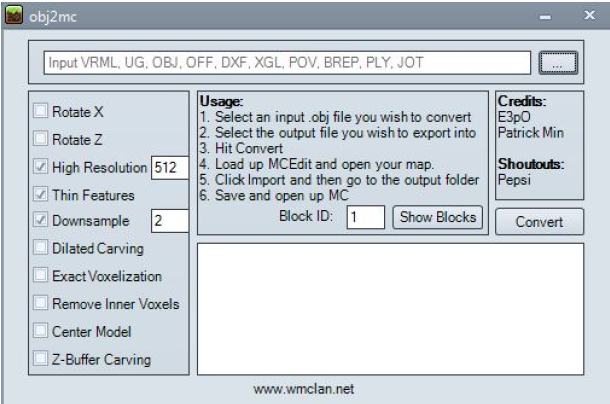
Open the “obj2mc” folder and doubleclick on the “obj2mc” program file
Click on the “select” button (the 3 dots) This will open the file selection window
Read More
| 




















